






D Link External HDD & Reasons Why They Fail:
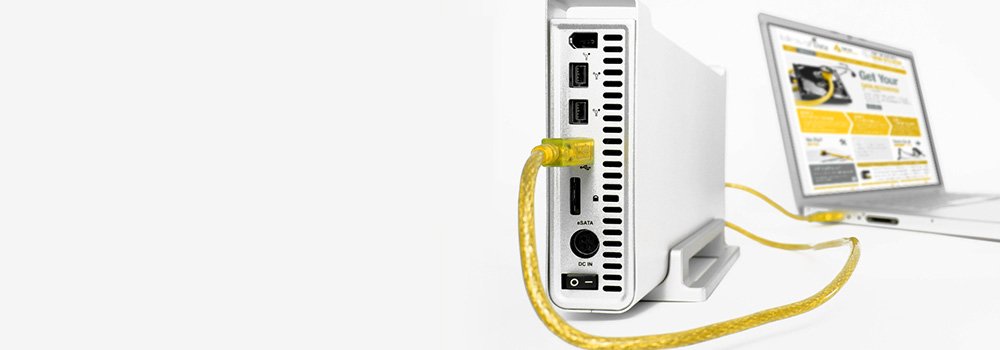
External HDDs are widely used for storing and transporting data efficiently. Whether you’re a home or office user, the convenience of an external HDD is undeniable, enabling you to carry your work between home and office without the need for cumbersome emails. However, like their internal counterparts, external hard drives can encounter problems with their physical and electronic components, as well as with the software that operates them. At www.guildforddatarecovery.co.uk, we stand ready to assist you if your hard drive experiences any hardware or software issues.
D-Link offers a range of NAS (Network-Attached Storage) devices for both personal and business use, providing centralized storage for backups, file sharing, and media streaming. While D-Link NAS devices are designed for reliability and convenience, they are not immune to failures such as drive corruption, RAID failure, or accidental data deletion. When a D-Link NAS device fails, you may need professional D-Link data recovery services to retrieve your important files.
What is a D-Link NAS Device?
D-Link NAS devices, like the DNS series (e.g., DNS-320L, DNS-340L), are networked storage solutions that allow multiple users to access shared data over a network. These devices often support RAID configurations for redundancy, enhanced performance, or both. Common use cases include:
- Centralized storage for home or small office networks.
- File backups and synchronization across multiple devices.
- Media server functionality for streaming content (music, video, photos).
- Remote access to files via the internet.
Common Causes of Data Loss in D-Link NAS Devices
D-Link NAS devices store critical data, but they are still vulnerable to various failures. Here are the most common reasons for data loss in D-Link NAS systems:
1. Hard Drive Failure
Since D-Link NAS devices use one or more hard drives, data loss can occur if one or more drives fail. Depending on the RAID configuration, a drive failure may result in data inaccessibility, corruption, or even total loss.
- Symptoms: Unusual clicking or grinding noises from the drives, the NAS fails to boot, or the RAID array is degraded.
- Solution: Failed drives often require professional data recovery services to repair or replace the internal components and safely extract data.
2. RAID Array Failure
Many D-Link NAS models support RAID configurations like RAID 0, RAID 1, RAID 5, and RAID 10. RAID adds fault tolerance or performance improvements, but RAID arrays can still fail due to multiple drive failures, controller issues, or improper rebuilds.
- Symptoms: The RAID array fails to initialize, files become inaccessible, or the system shows error messages indicating a degraded RAID status.
- Solution: RAID recovery specialists can rebuild the array and recover data from degraded or failed RAID setups.
3. Firmware Corruption
Firmware controls how your D-Link NAS device operates. If the firmware becomes corrupted—often due to a failed update, power loss, or malware—the NAS device may stop functioning, locking you out of your data.
- Symptoms: The device fails to boot after a firmware update, becomes unresponsive, or cannot be accessed through the web interface.
- Solution: Firmware reflashing or professional recovery services are often necessary to recover data and restore system functionality.
4. Accidental Deletion or Formatting
Human error is a common cause of data loss on NAS devices. Accidental deletion of files, formatting of drives, or incorrect RAID configurations can lead to significant data loss.
- Symptoms: Missing files, unallocated space on the NAS, or the device prompts you to reformat a drive.
- Solution: Data recovery software can often recover accidentally deleted or formatted data as long as it has not been overwritten.
5. Logical Corruption
Logical issues such as file system corruption or damaged partition tables can prevent a D-Link NAS from mounting or make files inaccessible.
- Symptoms: Files appear corrupted or missing, the NAS fails to mount, or the system reports file system errors.
- Solution: File system repair utilities or data recovery software may restore lost files. In more severe cases, professional services can recover data from logically damaged systems.
6. Power Surges or Electrical Damage
Power surges, outages, or improper shutdowns can lead to data corruption or physical damage to the NAS device’s hard drives.
- Symptoms: The NAS fails to boot, drives are not detected, or the device experiences frequent crashes.
- Solution: If power surges cause physical damage, professional recovery is often required to repair the hardware and recover the data.
When to Use Professional D-Link Data Recovery Services
If your D-Link NAS device has suffered physical damage, RAID failure, or severe logical corruption, professional data recovery services are the safest and most effective way to recover your data.
Why Use our Professional Data Recovery Services?
- Physical Drive Damage: If the hard drives in the NAS have suffered physical damage (e.g., head crashes, spindle issues, electrical damage), the recovery is completed using cutting edge tools.
- RAID Failure: RAID configurations are complex, and improper rebuilds can lead to data loss. Professional services can safely reconstruct RAID arrays and recover data from degraded or failed setups.
- Firmware Corruption: If the device fails due to firmware corruption, experts can often recover the data by restoring the firmware and reconfiguring the NAS.
- Unrecognized or Corrupted NAS: If the D-Link NAS is not recognised by the network or is inaccessible, recovery technicians can use specialized tools to retrieve the data.
Guildford Data Recovery is a trusted provider of D-Link NAS data recovery services. Our expert team handles RAID recovery, firmware issues, and physical drive damage, offering the best chance of recovering your important files.