

Guildford Data Recovery – Surrey’s No. 1 NAS Data Recovery Experts
Network Attached Storage (NAS) systems are essential for storing, managing, and sharing data in homes and businesses. Multi-disk NAS devices are widely used for business environments requiring redundancy and scalability, while single-disk systems are popular among home users for personal data storage. When data loss occurs, professional recovery services are critical to restoring valuable files.
25 Years of Expertise in NAS Data Recovery
As Surrey’s oldest professional data recovery company, Guildford Data Recovery has been at the forefront of data recovery for 25 years. Our forensic lab specialises in retrieving data from all types of NAS systems, helping businesses and individuals recover from data loss efficiently and securely.
Types of NAS Devices We Recover From
We handle data recovery for all NAS configurations, including:
- Multi-Disk NAS Devices: Used in business environments for scalability and redundancy.
- Single-Disk NAS Devices: Common in home setups for personal data storage.
Supported NAS Manufacturers
Our recovery expertise spans all major NAS brands, such as:
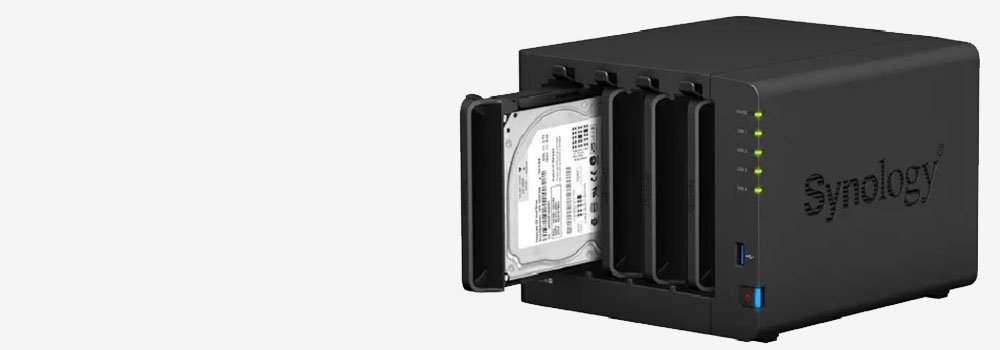
1. Synology
- Overview: A leading brand in NAS solutions, known for its intuitive DiskStation Manager (DSM) operating system.
- Key Features:
- Scalable solutions for home, SMBs, and enterprises.
- Advanced backup, surveillance, and multimedia features.
- Products we have recovered from: DS920+, DS220+, RS422+.
2. QNAP
- Overview: A major competitor to Synology, offering high-performance NAS with robust hardware.
- Key Features:
- Versatile features, including virtualization and AI-powered applications.
- High-capacity models with Thunderbolt and HDMI connectivity.
- Products we have recovered from: TS-453D, TS-451+, TVS-872XT.
3. Western Digital (WD)
- Overview: Known for its My Cloud series, WD offers NAS devices tailored for personal and small business use.
- Key Features:
- Simplified setup and integration with WD drives.
- Cloud storage and remote access features.
- Products we have recovered from: My Cloud EX2 Ultra, My Cloud Home, My Cloud PR2100.
4. Seagate
- Overview: Seagate offers NAS solutions alongside its IronWolf drives, optimized for durability and performance.
- Key Features:
- Focus on data protection with Rescue Data Recovery Services.
- Models designed for home and professional users.
- Products we have recovered from: Seagate Personal Cloud, Seagate Business Storage NAS.
5. Buffalo Technology
- Overview: Known for its cost-effective NAS solutions for home and small businesses.
- Key Features:
- Easy setup and user-friendly interface.
- Durable and reliable hardware.
- Products we have recovered from: TeraStation 3410DN, LinkStation 220.
6. Netgear
- Overview: Offers ReadyNAS devices designed for data protection and network integration.
- Key Features:
- RAID support, automated backups, and cloud integration.
- Suitable for home offices and small businesses.
- Products we have recovered from: ReadyNAS RN214, ReadyNAS 524X.
7. Asustor
- Overview: A subsidiary of ASUS, providing high-performance NAS systems for multimedia and data storage.
- Key Features:
- Optimised for media streaming with apps like Plex.
- Compact and stylish designs.
- Products we have recovered from: AS5304T, AS6602T.
8. TerraMaster
- Overview: A growing brand offering affordable NAS systems with decent performance.
- Key Features:
- Cost-effective solutions for home users and SMBs.
- Robust hardware with RAID support.
- Products we have recovered from: F2-221, F4-422, D5-300C.
9. Drobo
- Overview: Focuses on ease of use with its proprietary BeyondRAID technology.
- Key Features:
- Simplified RAID management.
- Designed for creatives and small businesses.
- Products we have recovered from: Drobo 5N2, Drobo 8D.
10. LenovoEMC (formerly Iomega)
- Overview: Offers NAS solutions designed for small businesses and enterprises.
- Key Features:
- Advanced data security and centralised management.
- Scalable models with business-focused features.
- Products we have recovered from: LenovoEMC px2-300d, LenovoEMC ix2.
Types of Hard Drives Used in NAS Systems
We recover data from all types of drives, including:
- IDE Drives: Found in older systems.
- SATA Drives: The standard in modern NAS setups.
- M.2 SSDs: High-performance drives for speed and efficiency.
RAID Configurations We Recover From
RAID (Redundant Array of Independent Disks) configurations are integral to many NAS systems. We recover data from:
- RAID 0: Optimized for speed but lacks redundancy.
- RAID 1: Mirrored drives for data safety.
- RAID 5: Balances performance, capacity, and reliability.
- RAID 10: Combines speed and redundancy for optimal performance.
Recovering data from a NAS (Network-Attached Storage) with RAID configurations can be challenging, especially when specific RAID-related issues arise. Here are the NAS issues for data recovery.
1. Drive Failure in RAID Array
- Issue: One or more drives in the RAID array fail, causing degraded performance or array failure.
- Causes:
- Physical drive failure due to wear and tear, bad sectors, or power surges.
- Poor maintenance or lack of monitoring for drive health.
2. Corrupted RAID Metadata
- Issue: RAID configuration metadata becomes corrupted, making the array unreadable.
- Causes:
- Improper shutdowns, firmware issues, or software bugs.
3. Accidental RAID Rebuild or Initialization
- Issue: The RAID array is accidentally reinitialized or rebuilt, leading to data loss.
- Causes:
- User error or incorrect settings during a rebuild process.
4. RAID Controller or NAS Failure
- Issue: The RAID controller or NAS hardware fails, preventing access to the array.
- Causes:
- Hardware malfunction, firmware corruption, or power surges.
5. Misconfigured or Inconsistent RAID Setup
- Issue: RAID settings (e.g., stripe size, parity type, or order) are misconfigured, leading to an inaccessible array.
- Causes:
- Improper RAID setup or changes to RAID configuration without proper migration.
Key Tips for RAID Data Recovery:
- Avoid Writing to the Array: Do not attempt to rebuild or initialize the RAID until a backup or recovery has been completed.
- Document RAID Parameters: Always keep a record of the RAID configuration (e.g., RAID type, block size, and order).
- Seek Professional Help: If data is critical or the issue is complex (e.g., multiple drive failures or severe corruption), consult a professional RAID recovery service.
RAID provides redundancy, but it is not a substitute for proper backups. Regular backups and monitoring of RAID health can significantly reduce the risk of data loss.
Common Causes of Data Loss in NAS Systems from One Disk NAS Systems
Data loss can occur due to several factors, including:
- Logical Faults: Issues like failed RAID rebuilds, corrupted file systems, or accidental deletions.
- Hardware Failures: Including motor damage, failed read/write heads, or electronic malfunctions.
A one-disk NAS system presents unique challenges for data recovery due to the lack of redundancy or fault tolerance typically offered by RAID configurations. Here are the top NAS data recovery issues.
1. Hard Drive Failure
- Issue: The single disk in the NAS fails, rendering data inaccessible.
- Causes:
- Mechanical issues, bad sectors, or electrical failure.
2. File System Corruption
- Issue: The NAS file system becomes corrupted, making data unreadable.
- Causes:
- Improper shutdowns, power interruptions, or firmware glitches.
3. Accidental Deletion of Files
- Issue: Files are accidentally deleted by the user, and the NAS lacks a recycle bin or snapshot feature.
- Causes:
- User error or inadequate NAS configuration for data protection.
4. NAS Firmware or Software Corruption
- Issue: The NAS operating system or firmware becomes corrupted, preventing access to the drive.
- Causes:
- Failed firmware updates or software bugs.
5. Power Surge or Electrical Issues
- Issue: A power surge damages the NAS device or its storage, leading to potential data loss.
- Causes:
- Sudden power outages or surges without adequate surge protection.
Solutions for Logical Faults in NAS Systems
Logical faults can make data inaccessible but are often recoverable. Our services include:
- Repairing failed RAID configurations.
- Recovering corrupted or deleted files using advanced tools.
Solutions for Hardware Failures in NAS Systems
Hardware failures often require expert handling and specialized tools. We provide:
- Diagnostics: Identifying the cause of failure.
- Recovery: Safely repairing and extracting data from damaged drives.
RAID Forensics in Data Recovery
RAID forensics is critical for successful recovery from complex configurations. Our methods ensure:
- Data Integrity: Protecting the original structure and content of files.
- Advanced Tools: Reconstructing RAID arrays to recover inaccessible data.
Why Choose Guildford Data Recovery for NAS Systems?
Clients choose us for:
- Proven Expertise: Decades of experience handling NAS and RAID recovery.
- Cutting-Edge Tools: Advanced techniques tailored to modern storage technologies.
- Customer Satisfaction: A reputation for reliability and success in Surrey.
Emergency Data Recovery Services for NAS Systems
Time-sensitive data loss requires immediate action. We provide:
- Rapid Diagnostics: Assessing and resolving issues quickly.
- Minimised Downtime: Ensuring businesses and individuals regain access to data promptly.
Testimonials From Satisfied Guildford Clients
Here’s what our clients have to say:
- “Guildford Data Recovery helped us recover critical files after our Synology RAID 5 NAS failed. Their professionalism and speed were unmatched!”
- “They restored my family photos from a failed single-disk WD NAS system. Exceptional service!”
How to Get Started With Guildford Data Recovery
Our process is simple:
- Contact Us: Provide details about your NAS system and the issue.
- Diagnosis: Our team assesses the problem and recommends a recovery plan.
- Recovery: Using advanced tools, we retrieve your data securely.
- Delivery: Recovered files are returned promptly and safely.
FAQs About NAS Data Recovery Services
How can I avoid NAS data loss in the future?
Regular backups, system monitoring, and proper maintenance are key to minimising risks.
Can you recover data from any NAS brand?
Yes, we support all major manufacturers, including Synology, QNAP, WD, and more.
What should I do if my NAS device fails?
Power off the device immediately and contact us to prevent further damage.
Can you recover data from failed RAID configurations?
Absolutely. We specialize in recovering data from RAID 0, 1, 5, and 10 setups.
How long does the recovery process take?
Recovery times typically range from 1-5 days, depending on the complexity of the issue.
Is it possible to recover data from formatted NAS drives?
Yes, our forensic methods can recover data from formatted or wiped storage.